Engineering practices
Best practices for branch naming and semantic commits
How to make your repository history document the project itself.
 Cristiano Rego Barros
4 min read
Originally published on Medium
In day-to-day computing and software engineering, Git and version control have become indispensable tools. They were created to track versions of files and were adopted to manage application source code, bringing with them many concepts such as commits, branches, gitflow and more.
Tasks like the steps below are part of the workflow of most developers around the world:
- Create your working branch;
- Start on your tasks;
- Commit frequently;
- Finish your task;
- Open a merge request (PR or MR) against a main branch.
However, following these steps doesn’t mean your version control is healthy. Good versioning goes far beyond a branch-and-commit workflow. A well-versioned codebase is easy to understand for new developers and for anyone who visits it: it makes clear what work was done and what the workflows have been up to now.
Branch naming
In scenarios like the one in the image below, you can see how confusing it becomes to understand what was done in each branch, which makes them harder to maintain.
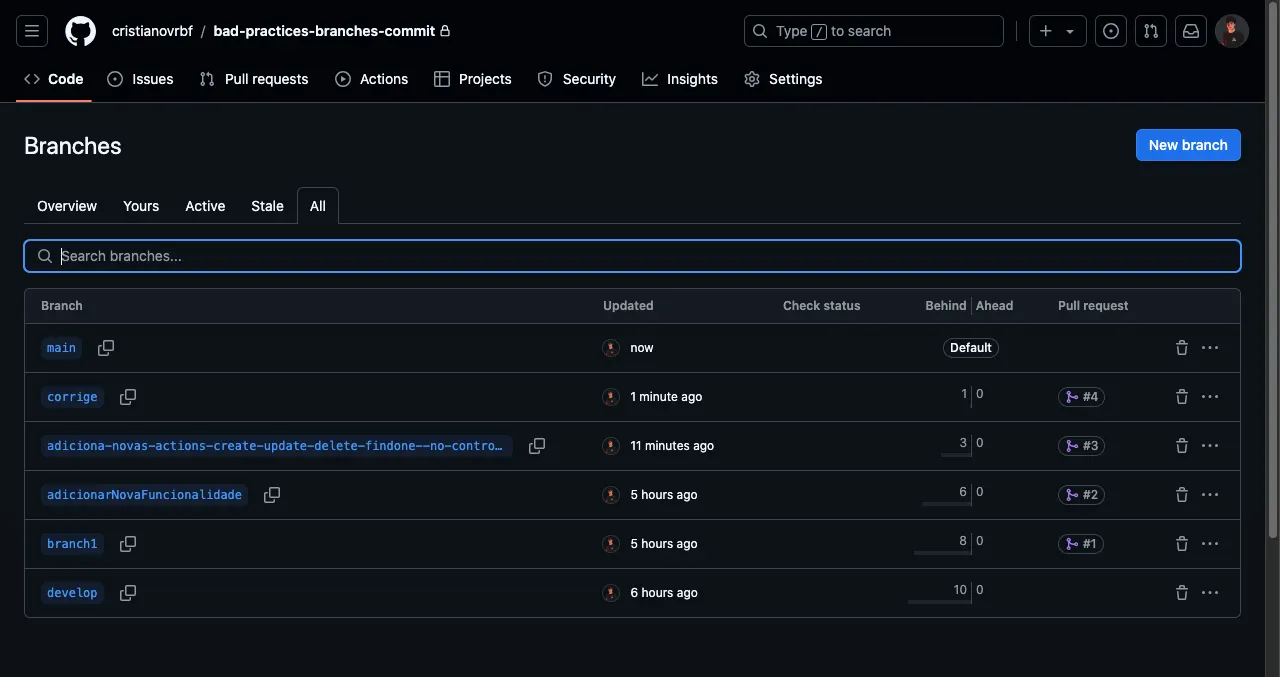
In these scenarios, branches can have the following problems:
- Vague names: the lack of a clear description makes it hard to understand the branch’s purpose, hurting productivity, since you have to open each one to see what was done.
- Unclear goal: it isn’t obvious whether the branch was created to build a feature, fix a bug, make improvements, adjust configuration or change documentation.
- Hard to track: finding specific changes gets complicated, especially in long lists of branches with generic or inconsistent names.
- Long, confusing names: overly long branch names are hard to remember and handle, increasing the risk of mistakes when referencing them.
- Communication overhead: the lack of a standard makes sharing information between developers more confusing and error-prone.
- Little transparency about the code’s goals: it isn’t clear which problems or requests the branch is trying to solve, which hurts code reviews and collaboration.
This is where branch naming conventions come in, so the project becomes its own documentation — transforming maintenance and the auditing of changes and improvements along the project’s timeline.
The convention starts with a prefix that states the branch’s purpose, followed by a short description:
| Prefix | Purpose |
|---|---|
| feature/ | New feature development |
| bugfix/ | Bug fixes |
| hotfix/ | Emergency fixes |
| release/ | Publishing new versions |
| refactor/ | Code refactoring with no functional change |
| test/ | Adding and changing tests |
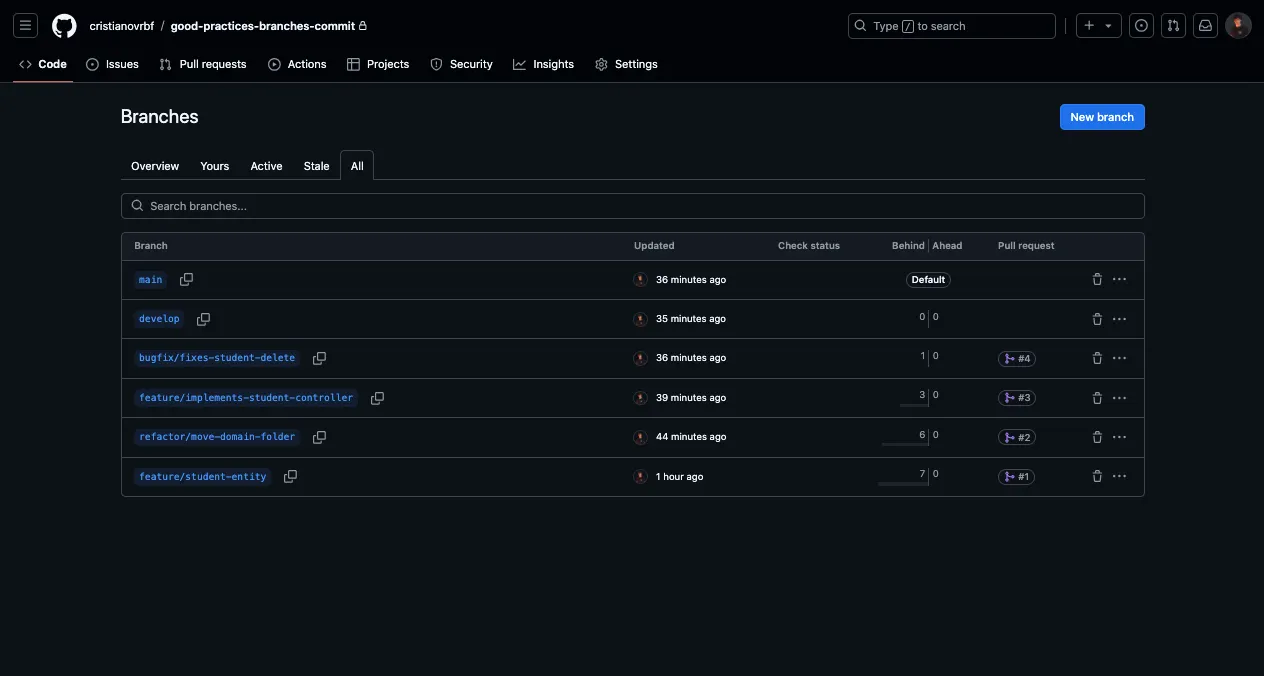
The image below shows why standardization matters: it becomes easy to understand why each branch was created and what was built in it, and names become easier to remember and communicate.
Writing commits
Commit messages should be quick and easy to understand, clearly conveying what changed.
Messages without a standard make code reviews harder, muddy the project timeline and get in the way of anyone looking for specific changes. Just like unstandardized branch names, the lack of rules for writing commits undermines version control.
That’s where standardized commit messages come in, based on the type of change made, as in the table below:
| Prefix | Type of change |
|---|---|
| feat | Adds a new feature |
| fix | Fixes a bug |
| docs | Documentation changes |
| style | Changes that don’t affect logic (spacing, formatting, etc.) |
| refactor | Code changes that don’t alter behavior |
| perf | Performance improvements |
| test | Adding or adjusting tests |
| chore | Maintenance tasks, such as dependency updates |
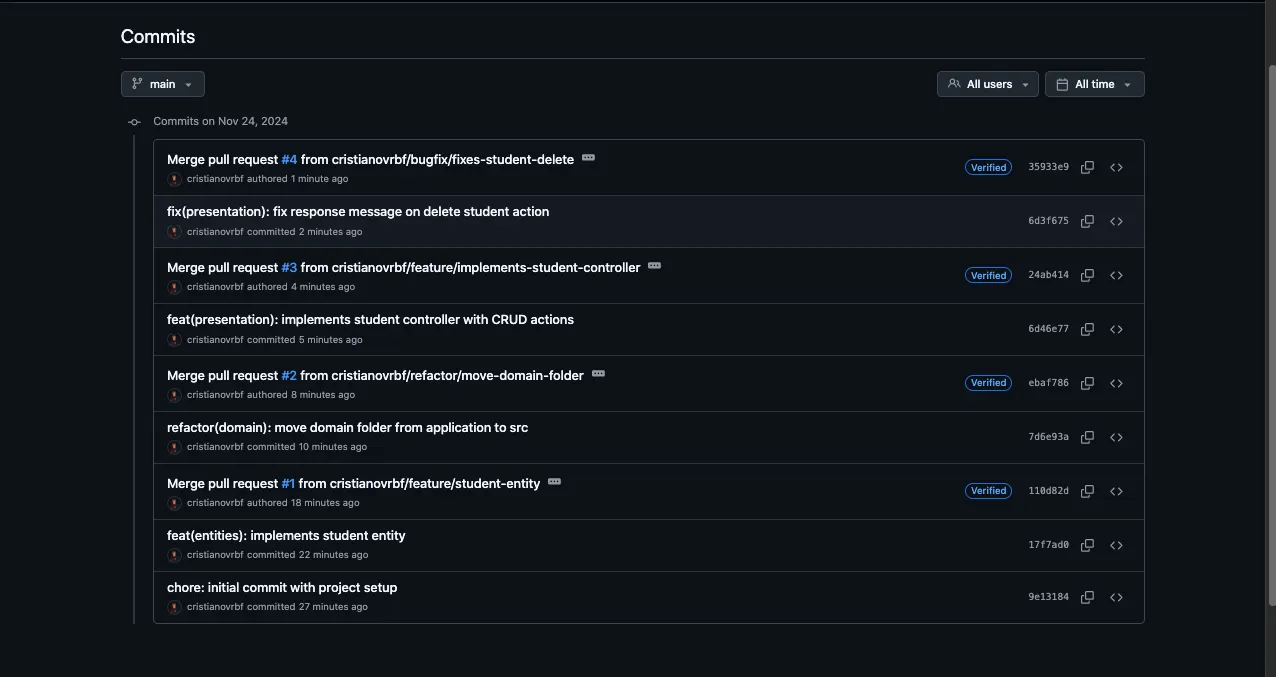
Each commit can then follow this pattern:
prefix(changed-module): short description of the changeThe image below shows the clarity a convention brings to the project: you can quickly and easily see what was done in each commit.
Conclusion
The value of adopting these practices in your project is clear: they improve version control and the structure of the project timeline, turn the project into its own documentation and make developers’ day-to-day work easier.